
Welcome to EOS Apps Ecosystem
An entire ecosystem of apps for the digital enterprise
Thank you for your interest in our apps.
EOS Solutions, Microsoft leading partner, provides an entire digital ecosystem of apps for Microsoft Dynamics 365 Business Central.
We will get back to you soon. In the meanwhile, come take a look at our ecosystem of apps and discover how they can open up new business opportunities & make your business easier.
EOS Apps Ecosystem in 60 seconds
Getting Started with EOS Apps for Business Central
Thank you for downloading our app
You may test the app for free activating a FREE TRIAL period and decide if you want to continue using it and purchase an YEARLY Subscription.
Isn’t the app installed yet?
If not already opened, open your Business Central and search (ALT+Q) for ”Marketplace”
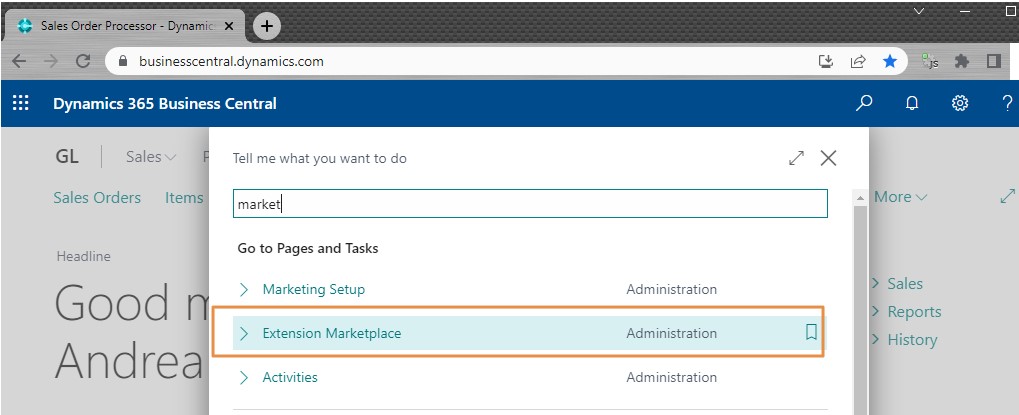
Already installed the app?
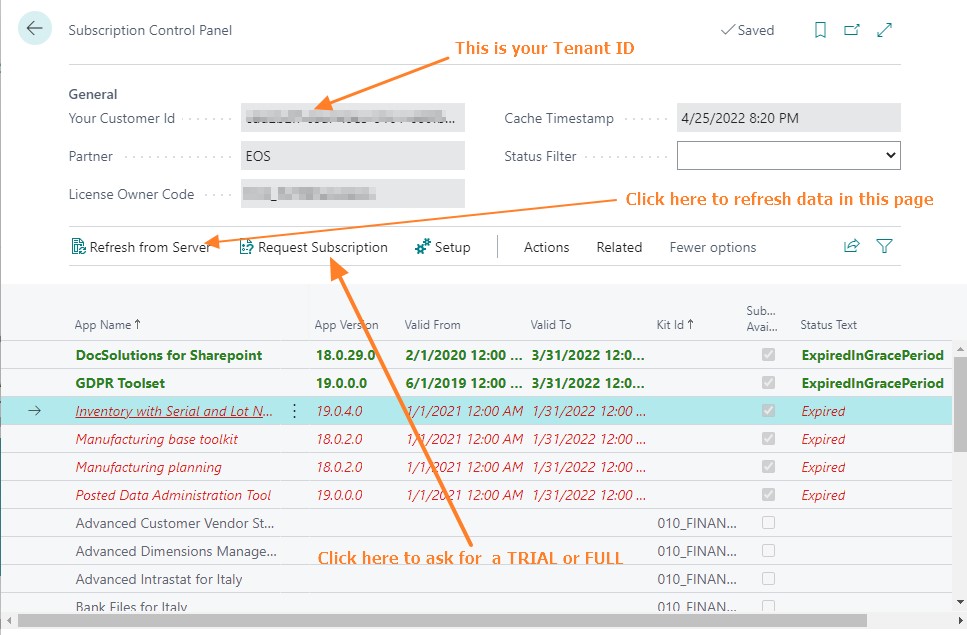
Activate it! After installing the app search (ALT+Q) for ”Subscription control Panel” page and select ”Request Subscription”. Our team will check your request and activate the right subscription or contact you. Trial period are by default 7 Days and can be extended evalating your request up to a maximum of 60 Days.
To activate, setup and use the app you need the proper permisson set: the easier way is to set the user as ”SUPER”. If you don’t want to set the ”SUPER” permission set, apply all Permission set starting with ”EOS*”.
See on line help and watch the full demo
All of our apps have the OnLine help available with tutorial videos. Some of them have extended demos up to 60 minutes. Devs and tech people can reach our Technical Docs and the Github collaboration repos to find customization samples, translation or suggest Ideas and new features.
Looking for OnPrem solutions?
EOS apps are also available for OnPrem environment. Installing and activating on OnPrem environment require extra steps, please contact us for further information or check the app availability here.
Prices?
Prices are listed on EOS Solutions website. All prices are intended for a Tenant with unlimited environmenti, unlimited company and users within a TenantID. Your Tenant ID is showed in ”Subscription control panel” page in your Business Central.